Frequently Asked Questions
What is Pictometry?
What does oblique mean?
What is the advantage of Pictometry?
What makes Pictometry images different from traditional aerial photography or satellite imagery?
How is Pictometry used?
Does Pictometry provide surveying capabilities?
What are some of the specific applications for Pictometry in these environments?
Can I zoom in on these images for more detailed information?
What about privacy issues?
Can I link my existing mapping and GIS to Pictometry?
How are Pictometry images stored?
Can the images be annotated?
What coordinate systems does Pictometry support?
What are the requirements for each client workstation?
What is Pictometry?
Pictometry is the world's largest digital, oblique aerial photography company. The company develops and markets a sophisticated, integrated information system that allows users to have high-resolution images of neighborhoods, landmarks, roads, and complete municipalities from multiple views at the click of a mouse.
Back to top
What does oblique mean?
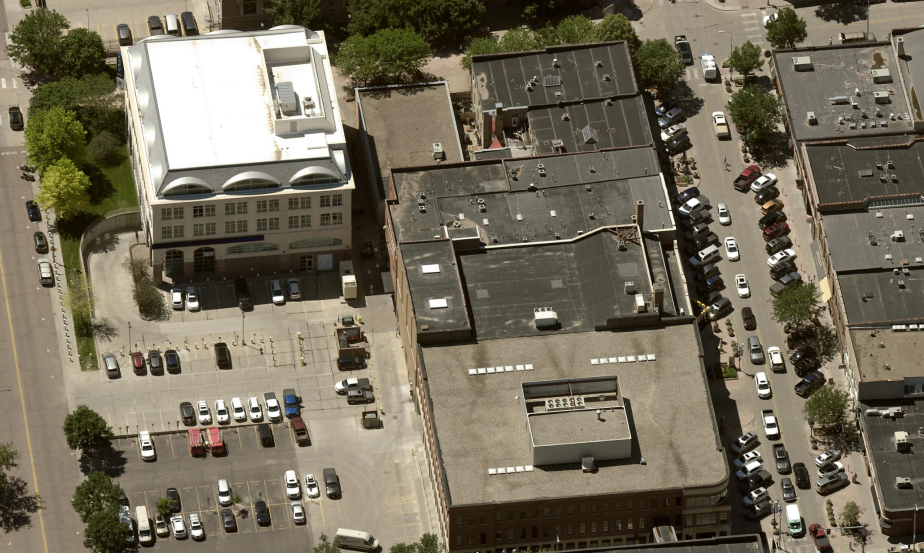
Oblique is the technical term used to describe an aerial photograph that is taken at an angle. This means that a feature, such as a house, building, street light, fire hydrant etc. can be seen in its entirety. For instance with Pictometry, you can see the front door of a house, the back door, the windows etc.
Back to top
What is the advantage of Pictometry?
Pictometry offers a significant advantage compared to traditional overhead photography by taking previously complex technologies, adding a wealth of new features, and then making it affordable and easy-to-use. The result is a revolutionary way to use aerial imaging that was unheard of just a few years ago.
Back to top
What makes Pictometry images different from traditional aerial photography or satellite imagery?
There are many aspects of Pictometry that are dynamically changing the use of visual information systems and how organizations think about aerial imaging:
- Georeferenced oblique images – Pictometry has broken new ground on providing metric oblique images that are accurately georeferenced down to the pixel level.
- Instant recognition of any location – Because of their oblique nature, Pictometry images do not require advanced photo-interpretation skills in order to recognize features in the image. The data is presented from a view we are all used to seeing. Oblique simply means images were taken at an angle. This provides a vital benefit for first responders as they can more easily and quickly understand the area and surroundings of where they are going.
- Client image library – Pictometry has created a centralized storage and delivery system that allows all of the images captured to be stored in a central repository and quickly queried at the click of a mouse to find all images that point to a region of interest.
- Easy and intuitive – Pictometry has been designed to be both powerful and easy to use. With very little training, operators can become immediately productive with Pictometry's measurement tools.
- Intelligent Images™ – Pictometry’s all-digital, fully georeferenced images include all the data necessary to use the images without any required knowledge of coordinates, datums or projection systems. A user needs only to double click on an image and Pictometry does the rest.
- High_resolution – Pictometry’s digital aerial photos allow viewers to see detailed information of building and land attributes attributes such as doors, windows, number of floors, building composition, roads, trees, and many other neighborhood features, yet they cannot be used to identify people or read license plates.
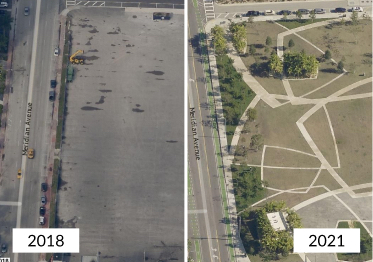
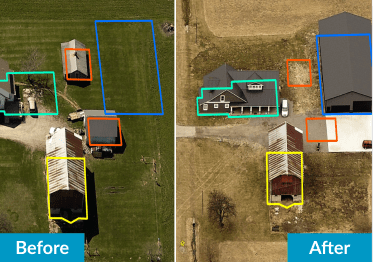
- Renewable image libraries – Pictometry’s image libraries are refreshed every two years, or more often if desired, allowing customers to analyze changes that have taken place over time.
Back to top
How is Pictometry used?
There are endless applications for Pictometry. In essence, Our Limit is Your Imagination™. From 9-1-1 dispatching centers, homeland security and emergency management agencies, and first responders, to engineering firms, community planning agencies, and transportation departments, Pictometry provides visual information that lets you see everywhere, measure anything, and plan everything.
Back to top
Does Pictometry provide surveying capabilities?
No. Pictometry provides a second order visualization tool supporting the needs of its many market segments by using digital aerial images, software, and existing topographical data. The company does not produce authoritative or definitive information (surveying) from its aerial images or its software.
The differences between surveying and Pictometry measuring tools are significant. Surveying involves a detailed measuring process by licensed professionals on site to determine very specific measurements for real property and building measurements with certified accuracy. Pictometry is designed as a reference tool where these types of exact measurements are not required, but there is a critical need for visual data to provide vital information that can help save time, resources, and lives.
For example, in an emergency situation, such as a fire, a police action, a homeland security event, arriving at centimeter accuracy to respond to a life-threatening situation is not needed. Nor is it practical or timely for public safety officials to engage in surveying activities when time is of the essence in providing a proper, well-planned response.
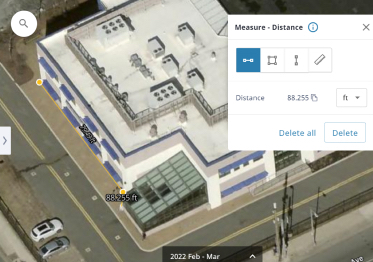
Pictometry has proven itself to be a valuable tool that enables public safety professionals to better understand the situation they are responding to with an easy-to-use visual tool that gives them enough information to quickly and more effectively respond to any given situation. For law enforcement it may mean knowing what the building measurements are during a hostage situation. For fire officials, Pictometry can be used to measure the height of an elevator shaft for placement of ladders and hoses. For search and rescue or medical response units, it may be finding and measuring a ravine where an accident has taken place. In all these situations, the ability to obtain measurements quickly and easily can potentially make the difference between a successful rescue and a tragic outcome.
For engineering, transportation, utility, planning, and architectural applications, Pictometry enhances the pre-inspection process with a better visual inspection of buildings and properties that can save time and resources. For example, Pictometry can help engineering, architectural, planning, and surveying teams to know before they arrive on site, what environmental factors, conditions, obstacles, and other potential hindrances might be at the site that could prevent a successful survey. Using printed images from Pictometry, surveyors can more easily and quickly locate their survey points. Once a survey is completed by a licensed professional, Pictometry images can be supplied with the certified survey to present project concepts that are easier to understand by clients who may not have surveying and/or engineering backgrounds.
Back to top
What are some of the specific applications for Pictometry in these environments?
Pictometry provides a powerful tool that can help multiple organizations, departments and agencies save valuable time, money, and resources. In the case of emergency response personnel, the ability to respond with accurate information can save not only time and resources, but potentially lives as well. The following are just a few of the many key applications where Pictometry adds value:
Law Enforcement:
Identify staging and surveillance areas
Search, raid, and seizure planning
Photo documentation for search warrant applications
Traffic control analysis, evacuation planning, and routing
Land/air coordination in search and rescue efforts
Setup foot chase/crime-in-progress perimeters in seconds
Turn night into day – winter into summer
Historical archiving and accident reconstruction
Logistical analysis
Statistical mapping
Fire Departments:
Preplan responses for major structures and facilities
Locate and establish field command centers
Measure hose distance from water sources and hydrants to fire
Zoom in and inspect structural composition, roof layout, and access points
Access structural inventories such as sprinklers and hazardous material lists
View impact of wind direction on neighborhood for potential evacuations
Integrate third-party data such as plume impact
Send coordinates of house numbering systems to MDTs in vehicles en route
9-1-1:
Instantly view multiple images of caller location at time of call
View alternate traffic routes to incidents
View each address from multiple angles for entry and escape points
Measure height, length, and width of buildings
Provide remote guidance on location of electrical wires and other obstacles that might impair equipment or helicopter access
Integrate third-party information such as dispatch software and records management systems
Monitor foot chases through visual clues and provide assistance to officers on the scene
Using visual clues, help identify true location of incidents that are called in that may not be the actual incident area.
Homeland Security
Pre-emptive and concurrent tactical planning against terrorism
Use for training exercises
Conduct vulnerability analysis and threat assessments of public utilities such as water supplies, coastal areas, and electrical distribution systems
Find the best location for field command posts and apparatus positioning
Create visual databases of critical infrastructure such as bridges, dams, roads, chemical outlets, petroleum pipelines, storage facilities, landmarks, and other public buildings
Instantly assess situational environments – measure angles, distance, height, and width of any structure or property
Crowd control and evacuations
Ensure that manpower and resource deployment match the situation
Engineering, Transportation and Utilities
Highlight and coordinate new roadway or other construction sites, schedules, and progress with drawing tools
Inspect and pre-plan new developments before sending out survey crews
Import data from GIS and other sources for asset location of water mains, electrical distribution systems, and zoning information
View adjoining properties for impact
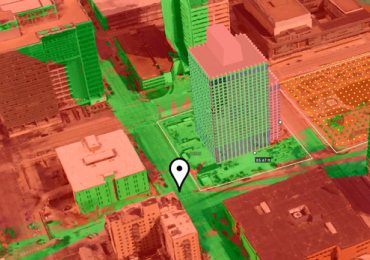
Automatically calculate acreage or square footage
Review properties for planning rights of way and easements
View neighborhoods for growth and traffic flow analysis
Back to top
Can I “zoom in” on these images for more detailed information?
Yes. Pictometry gives you the ability to zoom in and out of all images. However, the term “zoom in” can be very misleading in discussions regarding privacy issues.
Back to top
What about privacy issues?
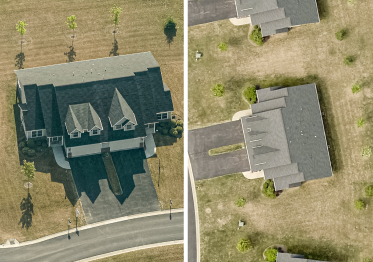
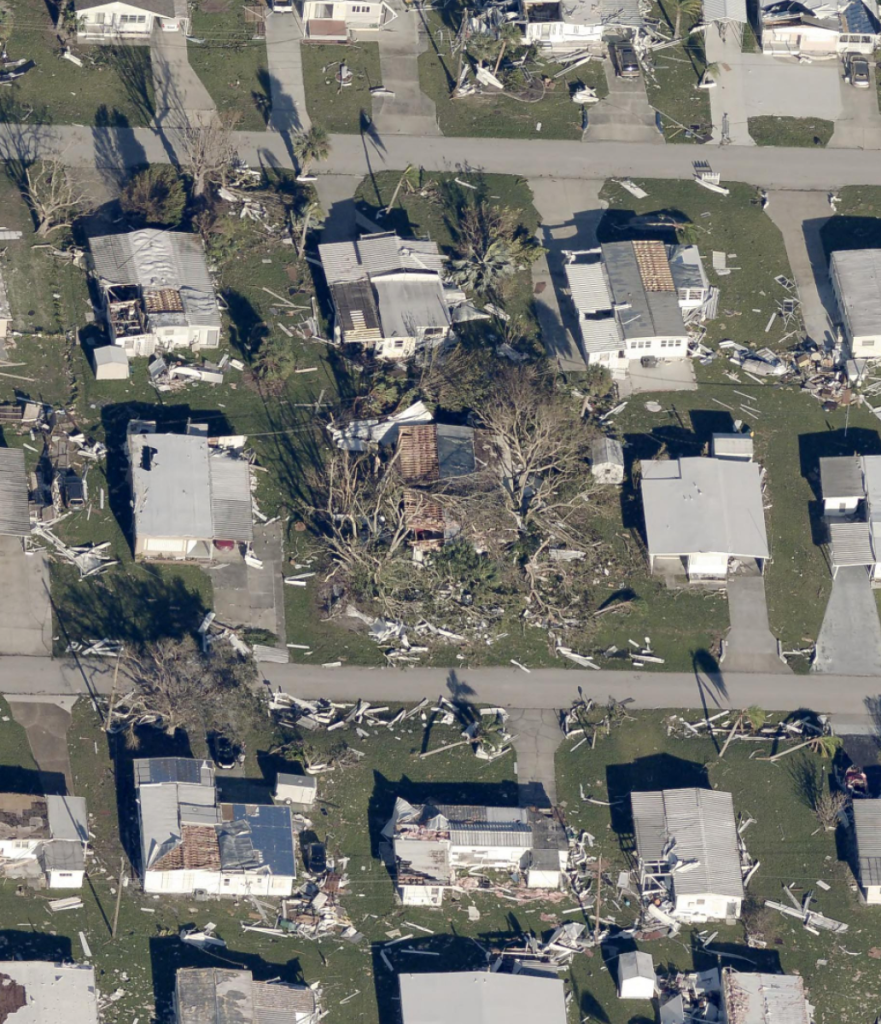
It is understandable that when some people first see Pictometry they may get the wrong idea that we can zoom in to recognize them, read their car’s license plate, and otherwise obtain personal information from the images. While Pictometry images offer detailed information on building and property features such as roof lines, road markings, bushes and shrubs, the images cannot be viewed at sufficient levels of detail that would permit license plates to be readable or people to be recognized.
Communities using Pictometry have long understood that our digital imagery, while indeed impressive at 6-inch pixel resolution, substantially deteriorates in resolution beyond this point.
Below is an example of trying to use the system beyond its stated parameters of operation.

Above: Full Neighborhood image

Above: Image at 100%

Above: Image at 200%

Above: Image at 400%

Above: Image at 800%

Above: Image at 1600%
Back to top
Can I link my existing mapping and GIS to Pictometry?
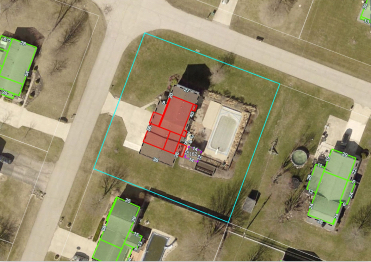
Yes. Pictometry software can overlay shape files directly on top of both oblique and orthogonal images as well as display a wide variety of other vector data.
Back to top
How are Pictometry images stored?
The image raster data is stored in an industry standard image file format such as JPEG, TIFF or MrSID.
Back to top
Can the images be annotated?
Yes. Pictometry provides a number of annotation tools as well as allowing the users to attach and geolocate other documents or files, such as a Word or Excel document or even a corresponding image or video from another source.
Back to top
What coordinate systems does Pictometry support?
Internally, Pictometry works in WGS84 lat/lon. However, Pictometry can translate coordinate systems on-the-fly that enhance interoperability with many common coordinate systems.
Back to top
What are the requirements for each client workstation?
There are not many specific “requirements.” Pictometry’s software will run on most Windows platforms. Pictometry specifically tests compatibility with Windows NT, XP and 2000.
Back to top